
Good CNC front panel design starts with the exact connector's mounting drawing, not the outline of its visible face. The opening must admit the correct part, the mounting holes must line up, and the connector must still have room to seat, fasten and accept its plug inside the enclosure.
A neat arrangement of circles and rectangles is only a front view. A working mechanical layout also includes panel thickness, the space behind the panel and the way the components are installed. Resolve those relationships before engraving labels or committing to a finished aluminum blank.
The connector face and the panel opening have different jobs
A flange is the part of a connector that bears against the panel. The opening admits the portion that passes through it. Tracing the flange outline as the cutout can remove the very material that should support the connector. Conversely, tracing only the exposed socket can leave an opening too small for the body that must enter during installation.
Start from the full part number. “RJ45,” “USB” or a familiar connector shape identifies an interface or family, not necessarily the mechanical mounting pattern of the component in your hand. A panel-mount feedthrough, a board-mounted socket and a cable-end plug can serve related connections while asking for very different surroundings.
Keep the required opening and the fastener pattern together in the design. An opening with the correct width does not help if the screws are misplaced relative to it. Likewise, moving a pair of screw holes without moving the associated cutout can create a drawing whose individual dimensions look plausible but whose assembly does not work.

DataPro's custom-panel guidance makes this relationship concrete by pairing standard cutouts with particular compatible components and drawings. It also distinguishes panel dimensions, mounting-hole positions and the usable area behind the panel. Those are separate pieces of the design rather than one outline to copy.
A rear-side drawing does not necessarily mean rear mounting
Neutrik's NE8FDP-TOP provides a useful real example. Its product page describes an RJ45 feedthrough receptacle that can be mounted from the front of the panel. The associated mounting drawing labels its panel-cutout detail as a rear-side view. One statement describes how the component is installed; the other describes where the drawing is viewed from.
This distinction matters whenever the pattern is not symmetric. A feature that appears on the left in a rear view can lie on the right when the same panel is viewed from the front. Before placing the geometry in CAD, decide which face your working view represents and compare it with the manufacturer's labeled view.
Do not automatically mirror every downloaded DXF. It may already contain the appropriate view, several views or geometry intended for another purpose. Identify the actual cutout, check its orientation against the part and confirm stated dimensions after importing it. The fact that a file opens successfully does not establish that it is the correct pattern or scale.
Use dimension callouts and stated units as the authority. Measuring a PDF on screen or scaling a screenshot introduces another interpretation between the drawing and the part. If the supplied geometry and dimensioned drawing disagree, resolve that discrepancy before cutting rather than choosing the version that looks more convenient.
Panel thickness is part of the mounting interface
The NE8FDP-TOP's mechanical specification lists a panel thickness of 2–4 mm. That range belongs to that exact connector; it is not a recommendation to make every electronics panel within those limits. It demonstrates why the opening alone is not a complete mounting specification.
For the selected component, establish where its flange seats and how its retaining hardware engages across the actual panel thickness. A part can pass through the opening while its fastening arrangement remains unsuitable. A countersink, counterbore or recessed seat is also a separate requirement—not a detail to add because a screw head appears untidy.
Look at the surrounding surface as well as the hole. A nearby recess, panel edge or neighboring opening may remove material where a flange needs to bear. Enlarging the whole opening to cure a local interference can create another problem by reducing that seat or encroaching on the mounting pattern.
Use the specified hardware and assembly requirements for the exact component. Do not assume that a larger fastener, a deeper recess or a tighter screw will correct an incompatible panel. If the component is wrong for the proposed thickness or mounting arrangement, changing the component or panel design can be more sensible than improvising its attachment.
Lay out the rear body and plug before arranging the labels
Imagine an original, hypothetical signal-interface panel for a small desktop instrument. It carries a front-mount RJ45 feedthrough and a second rectangular signal connector. The example concerns unpowered mechanical layout only, not mains wiring or a protective enclosure modification.
The two connector faces may sit comfortably side by side while their rear bodies compete for the same space. An enclosure rail can lie directly behind a proposed socket. An internal board can obstruct the connector after the panel is placed on the enclosure, even though the part installs easily while the panel is loose on the bench.
Show those surrounding objects in the assembly view. Include the connector body and the actual plug or termination arrangement it requires. The space needed to connect or disconnect a plug is different from the space occupied by a connector sitting still. A latch, retaining nut or screw also needs access for its intended operation and assembly.
In the hypothetical panel, moving the rectangular connector slightly might solve a rear interference without changing either local cutout. Moving only its visible opening would not: its mounting holes and full assembly position must move with it. If a cable route is constrained, use the requirements of the actual cable rather than inventing a universal bend radius.
Only then place the labels. A name centered above an empty cutout may be covered by the installed flange or a screw head. A label can remain technically exposed yet become awkward to read beside a plugged-in cable. Judge text against the assembled controls and connectors, including the direction from which the panel will normally be used.
The correct drawing still has to meet the milling process
A rectangular cutout introduces a machining constraint that a circular opening may not reveal. Ordinary end milling leaves a radius in an internal corner because the cutter is round. Protolabs' milling guidelines explicitly identify radiused inside corners as a consequence of the process.
A connector body can therefore interfere at the corners even if the opening's overall width and height seem correct. Compare the actual corner geometry of the body with the proposed finished cutout. A smaller cutter may change the available radius, but it does not remove questions about reach, stiffness, workholding and the material being machined.
If a local relief or another manufacturing operation is needed, evaluate it against the component's mounting requirements. Do not automatically add a dogbone, round off the connector or oversize the entire opening. A modification must preserve the required seat, fastener locations and any other functional surface. The manufacturer's pattern is a requirement to satisfy, not permission to alter a component until it can be forced through.
For the ED1 enclosed desktop CNC router, consider the actual blank, support, clamps, cutter and holder around that layout. Its stated 300 × 200 × 120 mm work area describes the platform's nominal space, not a guarantee that a panel of those dimensions can be secured and machined with full clearance.
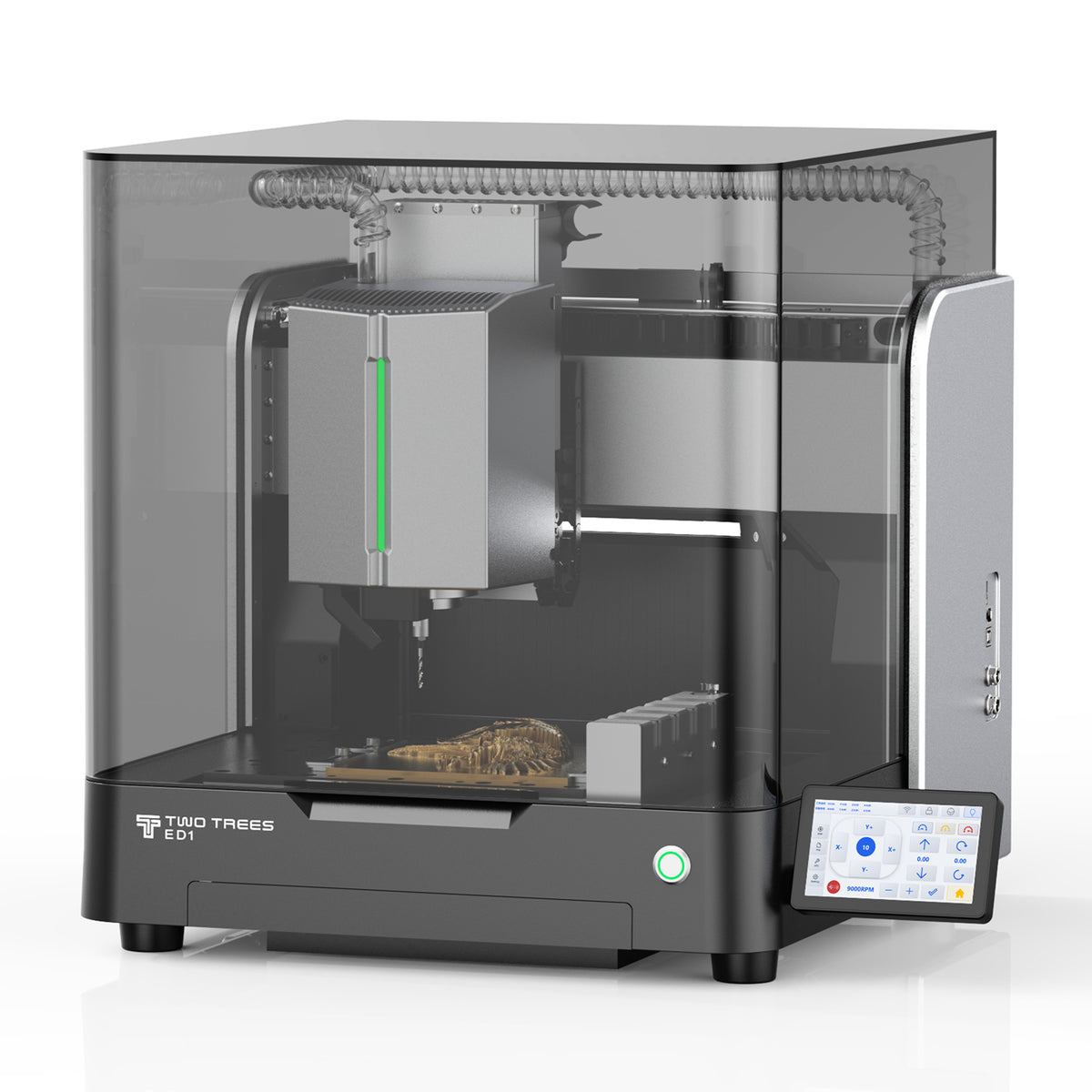
When evaluating a CNC router for aluminum panel work, match the actual stock and tool application to the machine's current instructions. A shallow plate still needs appropriate support, controlled retention and clearance below any through-cut. The enclosure does not replace those decisions, and a rendered toolpath does not prove that the planned setup is safe to run.
Finish the mechanical check with the real components
Check dimensions and the calculated machining result before cutting. After a representative panel or suitable test section has been machined and safely removed, assess the actual unpowered components in the intended assembly. A simplified fitting sample can resolve a local opening or thickness question, but it cannot prove rear clearance in an enclosure that was not included in that check.
Inspect cut edges and remove burrs using an appropriate controlled process without casually enlarging a dimensioned opening. Sharp machined edges need care during handling. Before hands-on inspection, setup changes or tool changes, stop and isolate the equipment according to its procedure; never reach into a moving cutting operation. Use the specified guarding, chip control, extraction and supervision.
For the hypothetical interface panel, check that each connector enters from the intended side, seats correctly and accepts its specified hardware. Then place the panel in its enclosure and check the rear bodies, plugs, operating access and visible labels together. If the opening fits but a plug cannot be reached, the layout still needs revision.
Keep the conclusion within that mechanical task. Fit does not establish electrical safety, grounding, ingress protection, EMC performance or certification. Panels that serve protective, mains-voltage or other safety-critical functions need the appropriate OEM solution or qualified design assessment, not an adaptation of this example.
The layout is ready to carry forward when the chosen components can enter, seat, fasten, connect and remain operable in the real assembly. That is a stronger basis for a custom front panel than a perfectly spaced set of openings that has only been viewed from the front.


